




Tạo bài viết mới nhất không cần Plugin cho WordPress: Hiện tại tất cả các Theme WordPress đều có chức năng bài viết mới nhất từ miễn phí đến trả phí. Tuy nhiên đôi khi bạn muốn tạo chức năng và hiển thị bài viết mới nhất để hiển thị một số vị trí bạn muốn nó hiển thị.
Trong bài viết này mình sẽ chia sẻ cho bạn cách tạo bài viết mới nhất không cần Plugin cho WordPress.

Tạo bài viết mới nhất không cần Plugin cho WordPress
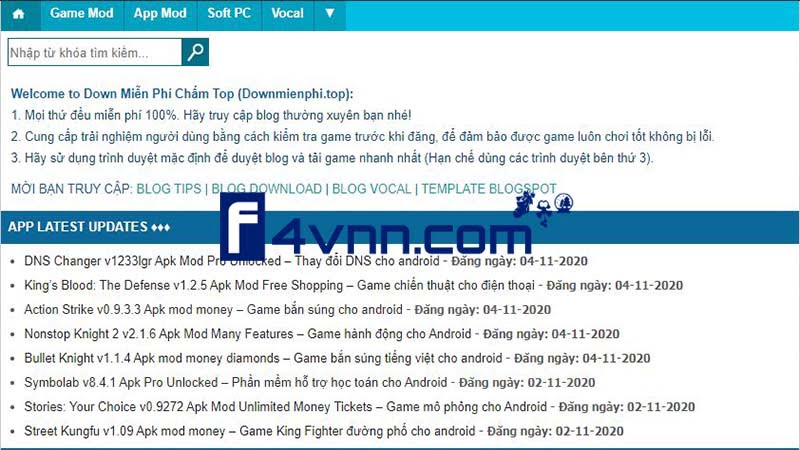
Để làm được như trên hình cũng khá đơn giản với mình thì mình thích nó đơn giản không cần hiển thị cả thumbnail của bài viết mới nhất, nên mình sẽ chia làm 2 loại 1 là làm có ảnh thumbnail, 2 là không có ảnh thumbnail, các bạn thích loại nào thì các bạn thử nhé.
Thực hành tạo bài viết mới nhất không thumbnail
Với 2 đoạn code bên dưới các bạn chèn đoạn code này nơi mà bạn muốn hiển thị bài viết mới nhất. Có thể chèn trong file index.php, hoặc sidebar.php.
Như trong demo này thì mình chèn nó trong file index.php.
- Code bài viết mới nhất không thumbnail:
<div class="newpost">
<h3 class="title-news">Tin mới</h3>
<ul class="news">
<?php $postquery = new WP_Query(array('posts_per_page' => 6));
if ($postquery->have_posts()) {
while ($postquery->have_posts()) : $postquery->the_post();
$do_not_duplicate = $post->ID;
?>
<li>
<h4><a href=" <?php the_permalink(); ?> " title=" <?php the_title();  ?> "><?php the_title();  ?></a></h4>
<div class="info">
<span class="date"><i class="fa fa-clock-o"> </i> Đăng ngày: <?php echo get_the_date( 'd-m-Y'); ?></span>
</div>
</li>
<?php endwhile;} ?>
<div class="clear"></div>
</ul>
</div>- Code bài viết mới nhất có thumbnail:
<div class="newpost">
<h3 class="title-news">Tin mới</h3>
<ul class="news">
<?php $postquery = new WP_Query(array('posts_per_page' => 6));
if ($postquery->have_posts()) {
while ($postquery->have_posts()) : $postquery->the_post();
$do_not_duplicate = $post->ID;
?>
<li>
<a href="<?php the_permalink(); ?>"><?php thumbnails_news_hk(); ?></a>
<h4><a href=" <?php the_permalink(); ?> " title=" <?php the_title();  ?> "><?php the_title();  ?></a></h4>
<div class="info">
<span class="date"><i class="fa fa-clock-o"> </i> Đăng ngày: <?php echo get_the_date( 'd-m-Y'); ?></span>
</div>
</li>
<?php endwhile;} ?>
<div class="clear"></div>
</ul>
</div>- CSS có thể dùng chung cho cả 2 Code trên
.newpost, .sidebar {
    float: right;
    width: 330px;
}
h3.title-news {
    background: #145EAB;
    padding: 10px 5px;
    color: #fff;
    font-family: 'hongha';
    text-transform: uppercase;
    font-size: 15px;
}
ul.news {
    padding: 10px;
    border: 1px #145EAB solid;
}
ul.news li {
  width: 100%;
  clear: both;
  padding: 9px 0px;
}
ul.news li a img {
    width: 90px;
    height: 65px;
    float: left;
    margin-right: 9px;
	padding: 1px;
	box-shadow: 0px 0px 2px #999;
}

ul.news li h4 a {
  text-decoration: none;
  font-family: hongha;
  color: #145EAB;
  text-transform: uppercase;
  font-size: 12px;
}- CSS giống với DEMO của mình đã làm trong ví dụ dưới đây nhé.
.newpost, .sidebar {
    float: right;
    width: 100%;
}
h3.title-news {
    background: #0a6899;
    padding: 9px 8px;
    color: #fff;
    font-family: 'Arial';
    font-size: 13.2px;
	  font-weight: 700;
}
ul.news {
    padding: 25px;
    border: 0px #145EAB solid;
	  margin-top: -20px;
	  margin-bottom: -20px;
}
ul.news li {
  width: 100%;
  clear: both;
  padding: 5px 0px;
}
ul.news li h4 a {
  text-decoration: none;
  font-family: Arial;
  color: #262626;
  text-transform: uppercase;
  font-size: small;
	font-weight: normal;
	text-transform: none;
}Hy vọng với cách tạo bài viết mới nhất không cần Plugin cho WordPress này sẽ có ích với bạn. Chúc bạn thành công.
Bài Viết Cùng Chuyên MụcGame & Apk Mod Acapella Việt Template BLogspot Liên Kết URL



